
Disclosure: this page contains affiliate links for travel services (not hospitals). We may earn a commission at no extra cost to you.
By KMedTrip editorial · Updated · Written with AI assistance · Reviewed by KMedTrip native-speaker review team
This guide is general information, not medical advice. KMedTrip is run by a government-registered foreign patient facilitator (an agency that helps international patients arrange medical care). We do not recommend, rank or receive payment from any hospital or clinic.
On a medical trip, your phone matters more than usual. You will use it to:
This guide compares the main ways to stay connected in Korea. We do not list prices, because plans change often. Check the provider’s own page before you buy.
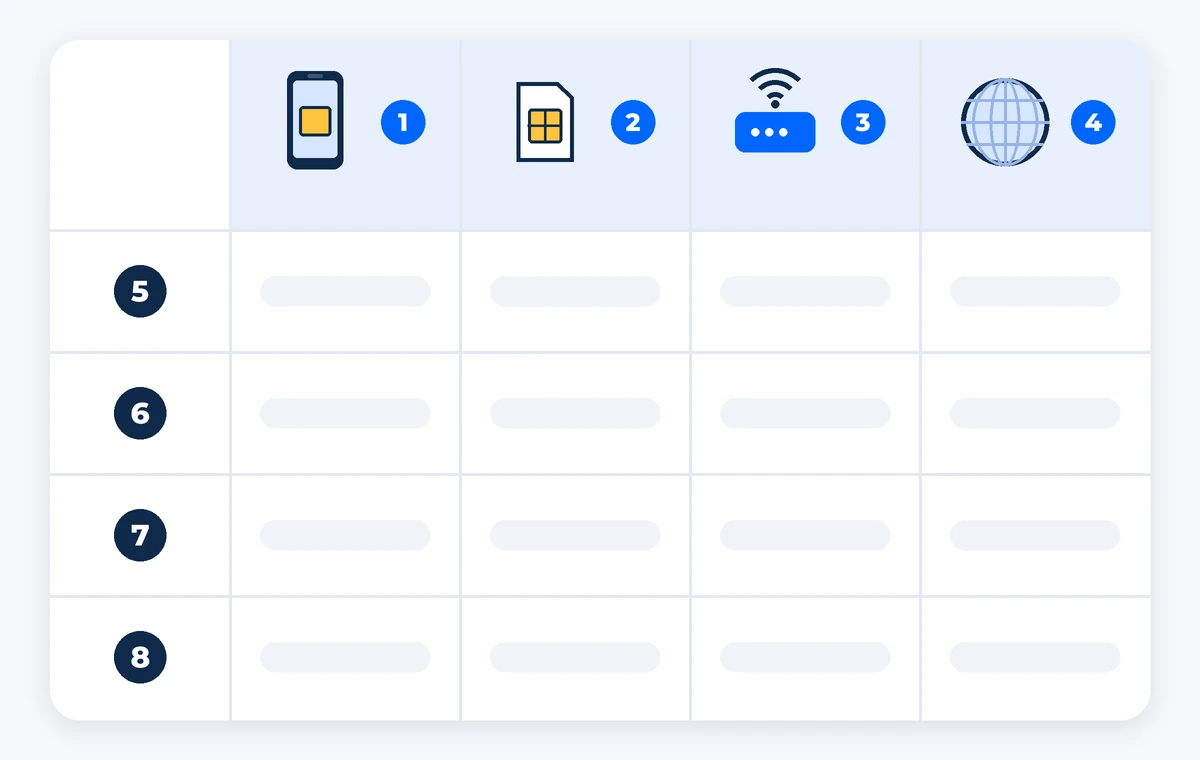
Figure 1. Four ways to get data in Korea, compared on four points. ① eSIM. ② Physical SIM (USIM). ③ Pocket Wi-Fi. ④ Home roaming. Rows: ⑤ Can you set it up before flying? ⑥ Can you get a local Korean number? ⑦ Is there an extra device to carry? ⑧ How big is the risk of high costs? The table below fills in each cell.
| ① eSIM | ② Physical SIM (USIM) | ③ Pocket Wi-Fi | ④ Home roaming | |
|---|---|---|---|---|
| ⑤ Setup before flying | Yes, at home | No, you pick it up in Korea (or order online for airport pickup) | No, you pick it up at the airport | Nothing to set up |
| ⑥ Local number possible | Some Korean carrier plans | Some plans | No | No (you keep your home number) |
| ⑦ Extra device to carry | No | No (but keep your home SIM card safe) | Yes, and it needs charging | No |
| ⑧ Cost risk | Fixed plan price | Fixed plan price | Rental fee, plus a risk of late-return charges | Daily fees can be high |
An eSIM is a digital SIM built into your phone. It does not need a physical card (VISITKOREA, accessed Oct 2026). You buy it online. Then you scan a QR code or follow an in-app link, and it is ready.
Before you buy, check two things:
There are two main kinds of eSIM:
A Korean prepaid SIM card goes into your phone’s SIM slot. This works for older phones without eSIM. According to VISITKOREA (accessed Oct 2026), you can get one:
Keep your home SIM card in a safe place while it is out of the phone. It is very small and easy to lose.
This is a small portable router (a box that shares internet over Wi-Fi). You rent it at an airport roaming center (VISITKOREA, accessed Oct 2026) and return it at the end of your trip. Several people can share it.
The downsides:
This needs no setup. But daily fees can be high. Check your carrier’s Korea rates before you go.
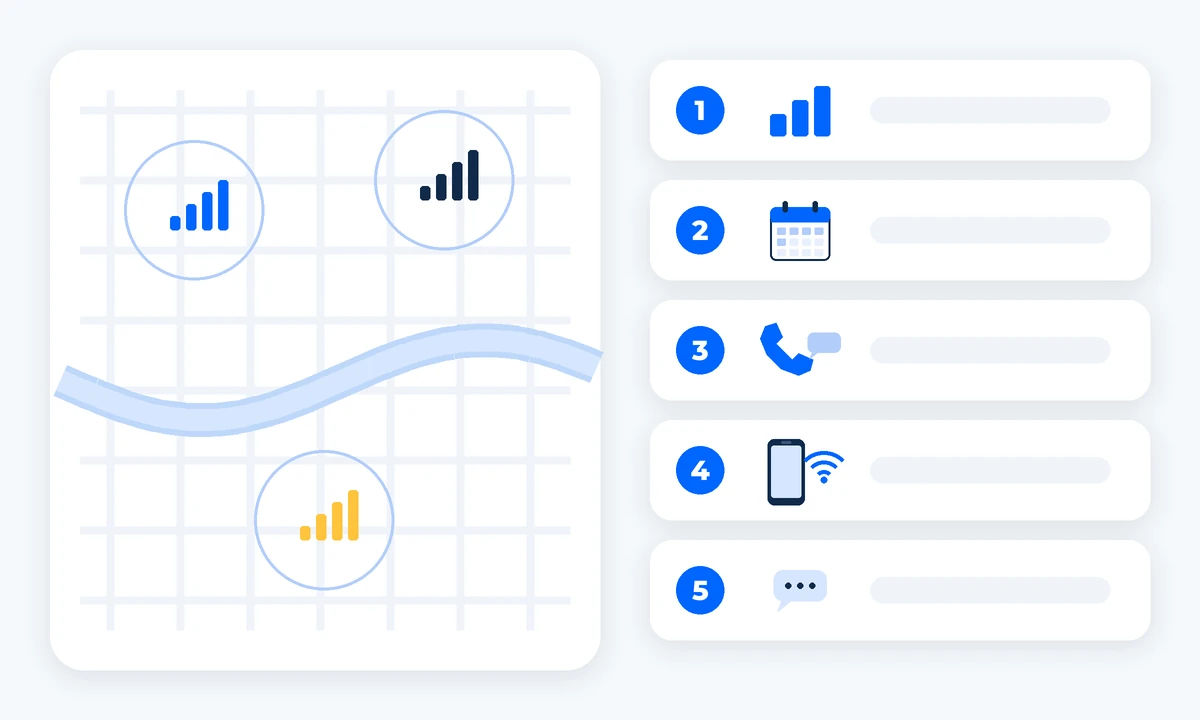
Figure 2. Coverage is good across Seoul on all three main networks, so compare the plan details instead. ① Data amount. ② Plan length and top-up. ③ Calls and texts. ④ Hotspot (tethering). ⑤ Support in English.
Korea has three main mobile networks: SK Telecom, KT and LG U+. All three cover Seoul and other cities well, including subway stations. Many travel eSIMs run on one of these networks. So in central Seoul, the difference between options is usually small.
Compare these points when you choose a plan:
Free Wi-Fi as a backup. Free public Wi-Fi is available in most public places, such as airports, subway stations and train stations (VISITKOREA, accessed Oct 2026). VISITKOREA points to wififree.kr for details. It is a useful backup. But do not depend on it when you need to reach a clinic.
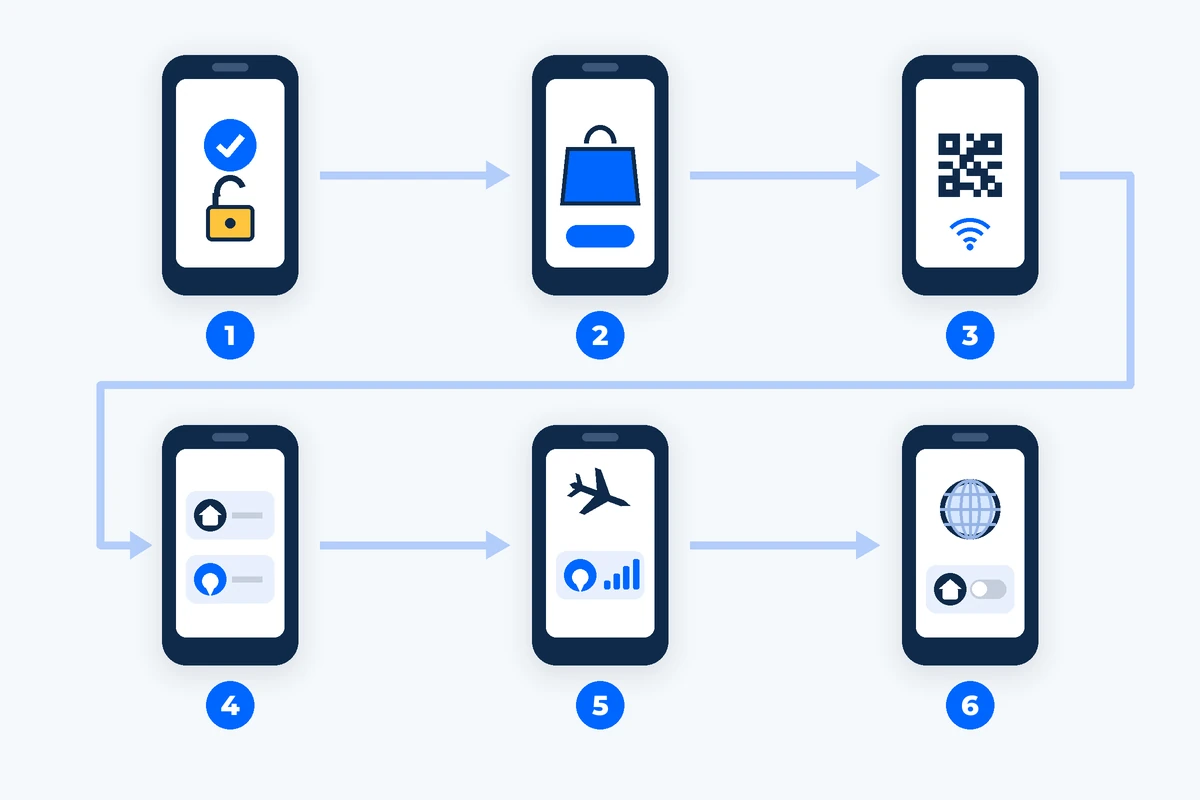
Figure 3. Six steps to set up an eSIM. ① Check compatibility and that your phone is unlocked. ② Buy the plan on the official site or app. ③ Install while on Wi-Fi. ④ Label the lines “Home” and “Korea”. ⑤ Set data to the Korea line after landing. ⑥ Turn off roaming on your home line.
Setting up at home means you have data the moment you land. Do steps 1–4 at home, a few days before you fly. Do steps 5–6 after you land.
Good to know:
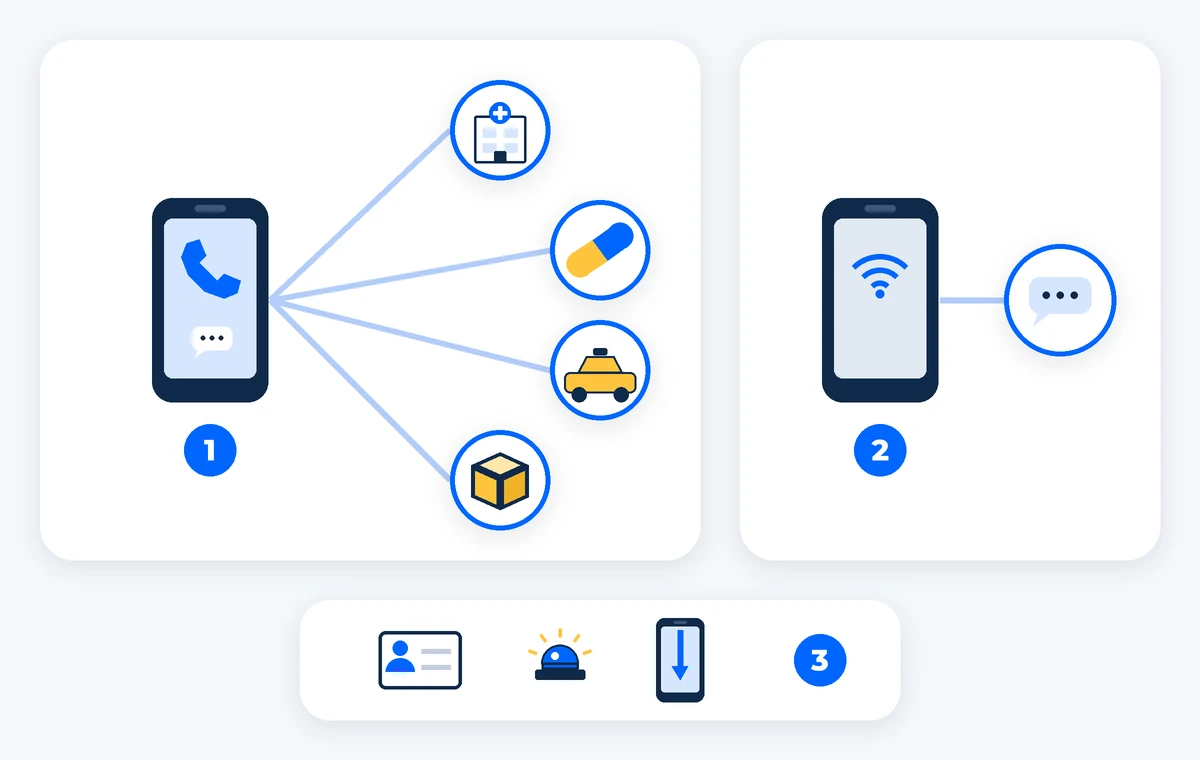
Figure 4. Korean number or data only? ① A Korean number can receive calls and texts from clinics, pharmacies and taxis. ② With data only, give people a messaging app contact instead. ③ Either way, save key numbers offline, including 119 (Korea’s emergency number).
A Korean phone number is not required for most trips. But it can make things easier:
If you choose a data-only eSIM:
Need help in your language? The 1330 Korea Travel Hotline (+82-2-1330 from a foreign phone) answers travel questions in Korean, English, Japanese, Chinese, Russian, Vietnamese, Thai and Malay (VISITKOREA, accessed Oct 2026).
For the trip from the airport, see Incheon Airport to Gangnam. For other things to set up before you fly, see our pre-departure checklist.
Test before your procedure. Send and receive a test message with the clinic or coordinator. After surgery or sedation (medicine that makes you sleepy and relaxed), you may not feel like fixing phone problems.
Does my phone work with an eSIM? Most recent iPhones (XS, XR and later, per Apple, accessed Oct 2026) and many Android phones do. Your phone must also be unlocked. Check your phone settings or ask your carrier.
Do I need a Korean phone number? Not for most trips. But it helps when clinics, pharmacies or taxis want to call or text you. If you go data only, share a messaging app contact.
Can I still get bank codes from home? Often yes. Many phones keep two lines active. Keep your home line on, but turn off data roaming on it.
Where can I buy a SIM card if I did not plan ahead? At airport roaming centers and convenience stores (VISITKOREA, accessed Oct 2026).
Is free Wi-Fi enough? It is a good backup in airports, subway and train stations. But do not rely on it to reach a clinic in an urgent moment.
If you’d like help planning, you can talk to a coordinator.